Skip to content

Free on Android & iOS

Never forget a drive.

DriveTrack records every trip on its own. No buttons, no remembering. It turns each one into a speed-mapped route, a driving score and stats you’ll actually look at. All of it stays on your phone.

  • No account required
  • Data stays on-device
  • Starts automatically
DriveTrack on three phones: the Drive screen, a speed-coloured trip route, and the All Trips list with driving scores
  • Bluetooth auto-start
  • Speed-coloured routes
  • Driving score
  • Expected vs. actual
  • Parking spot saver
  • Streaks
  • Leaderboards
  • Share links
  • Tasker & MacroDroid
  • On-device storage

How it works

Set it up once. Forget it’s there.

  1. 1Turn on auto-tracking

    On Android, just pick your car’s Bluetooth in the app. On iPhone, add an Apple Shortcuts automation that runs Start Trip when your car connects. See how

  2. 2Just drive

    Recording starts when your drive does and stops when you park, even if the app was closed.

  3. 3Review every trip

    Each drive becomes a speed-mapped route, a driving score and stats that add up over time.

Features

Everything your trips need. Nothing they don’t.

Every route, speed-mapped

See the exact path you drove, coloured by speed from a calm green to a hard red, with harsh acceleration, braking and cornering events pinned right on the map.

Tiranë → Kavajë56.2 km · 60 min · sample trip
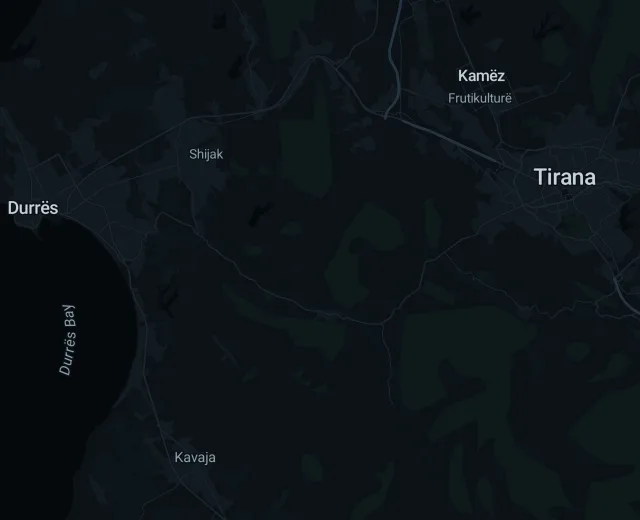
Sample trip Tiranë → Kavajë on a night map of central Albania, the route coloured by speed

© MapTiler © OpenStreetMap

A driving score you can trust

Smoothness, cornering, consistency and speed compliance roll up into a single score per trip, so you see how your driving trends, not just how far you went.

Expected vs. actual route

Compare each trip against the route a router would have picked, and spot detours or time gained and lost.

Never lose your car

Your parking spot is saved the moment you stop, with a map to walk back to. Nudge the pin by hand if GPS was off.

Streaks & leaderboards

Keep a driving streak alive, then compare distance and safety scores with friends or the global leaderboard.

Share any trip

Send a trip as a link. Recipients see the route and stats in their browser. No account or install needed.

Works with your automations

Prefer manual control, or already use Tasker or MacroDroid? Start and stop trips from either.

Automation guide

Privacy

Your drives are nobody’s business but yours.

DriveTrack isn’t built on a cloud account. Your location history lives on your phone, and it only leaves when you choose to share or export it.

Read the privacy policy
  • Trips are stored in a local database on your phone
  • Export your full history any time as a single file
  • The web viewer parses exports in your browser, so nothing is uploaded
  • You decide which trips, if any, get shared

Already have a DriveTrack.db export?

Open it in the free web viewer to browse trips, routes and stats on a big screen. Nothing you load ever leaves your device.

Open Web Viewer

Your next drive starts the app.

Free to download. No account, no setup beyond switching it on.